Thalweg Fishing
Your fishing,
brought together.
Check conditions, keep a private Journal, and plan your next trip. Thalweg Fishing brings it together for Pacific Northwest anglers, with ways to keep your group and chosen contacts informed.
- Check conditions and reports at the places you fish.
- Keep catches and notes in a private Journal, with conditions attached.
- Plan your trips and keep in touch on the water.
Why it exists
Check conditions, keep fishing notes, and plan your next trip.
Conditions, reports, trip notes, and plans often live in separate places. Preparing for a day on the water means pulling them together again.
Check changing conditions, look back at your notes, and make a plan for your next trip.
What you can do with Thalweg Fishing
Check conditions and reports
See weather forecasts, flows, water temperature and clarity, tides, regulations, stocking reports, and fish counts.
Keep notes from your trips in a private Journal
Save catches, trips without a catch, notes, observations, hazards, and photos, with conditions attached.
Share a catch with Catch Cards
Create a card with the photo and details you choose. Keep location hidden or choose how much to show.
Plan your trips
Use maps, reusable checklists, and condition alerts for the places you follow. Choose contacts for Trip Sharing before heading out.
Keep in touch with your fishing group
Schedule a group outing, share catches and observations, and meet up on the water with Fishalong.
Conditions and reports
Weather forecasts, water conditions, fish reports, and regulations.
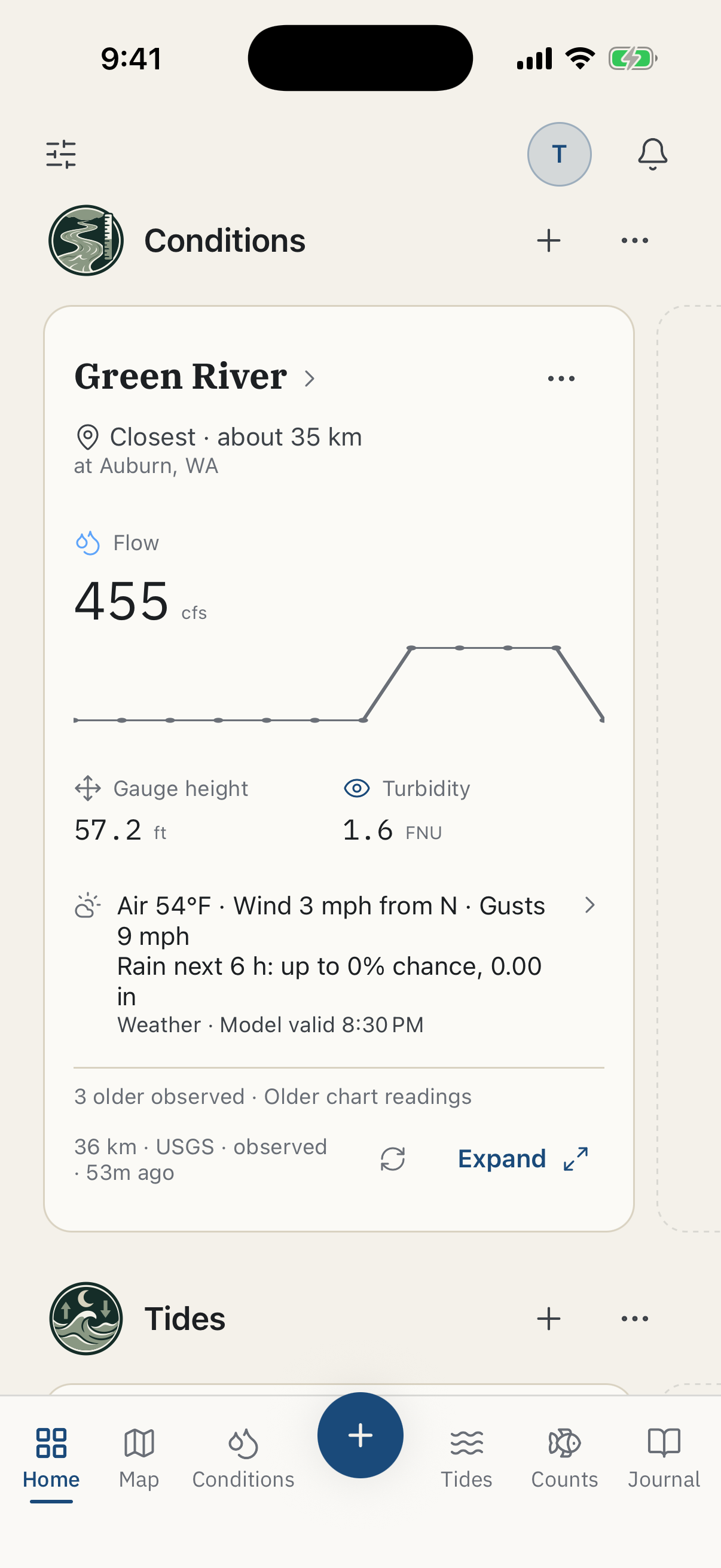
Check local weather forecasts alongside river readings, tides, fish reports, and regulations for the places you fish.
- Weather
- Local forecasts showing temperature, rain, wind, and air pressure.
- River conditions
- Flow, water level, water temperature, and clarity.
- Tides and currents
- Tide heights, tide times, and current predictions.
- Fish counts and stocking
- Fish-passage counts, stocking schedules, and hatchery reports.
- Regulations
- Summaries, source links, and change notices.
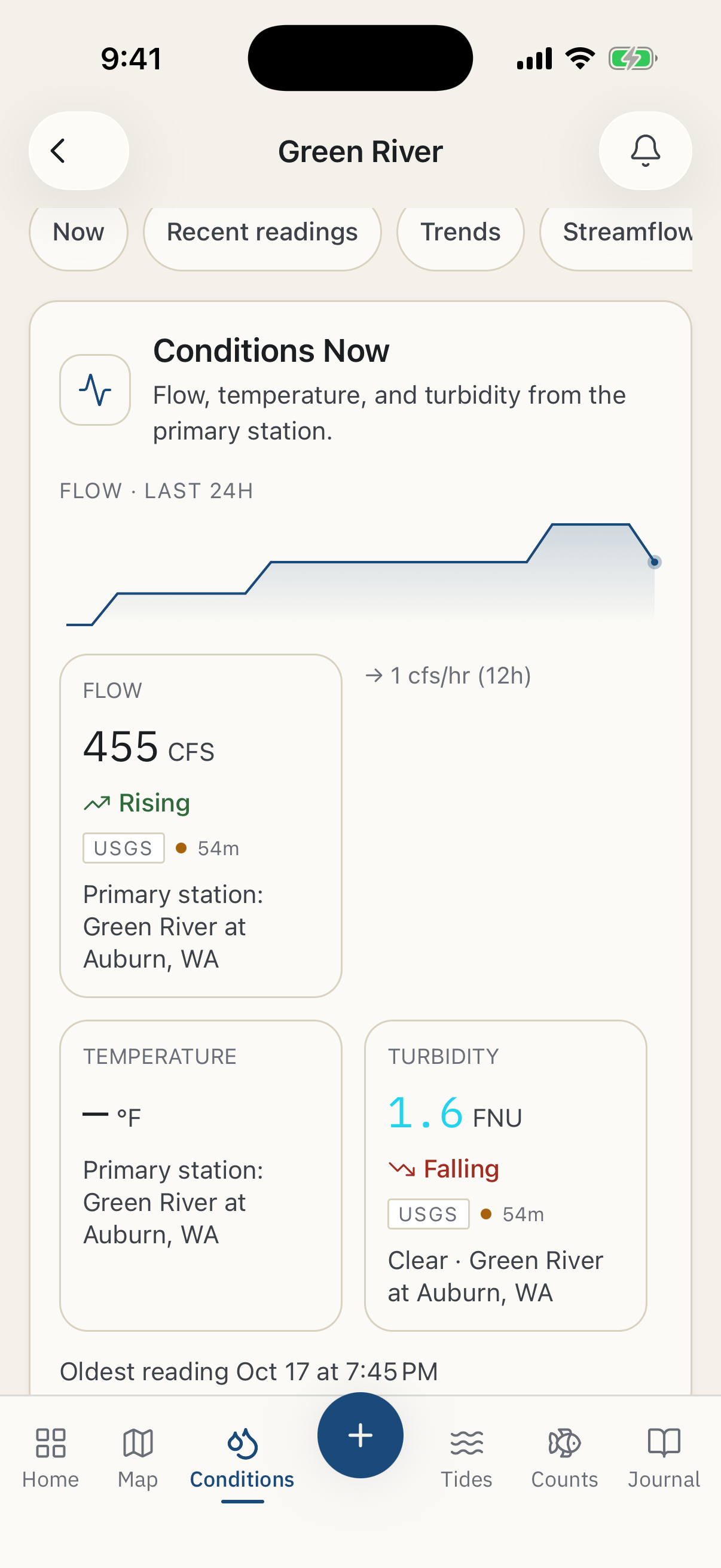
Data sources and update times.
View the source and update time for readings and forecasts. Follow changes in weather, river flow, water temperature, and clarity for the places you fish.
USGS river readings · Open-Meteo weather · NOAA tides and currents · NWPS river forecasts
Condition and regulation alerts
Condition and regulation alerts for the places you follow.
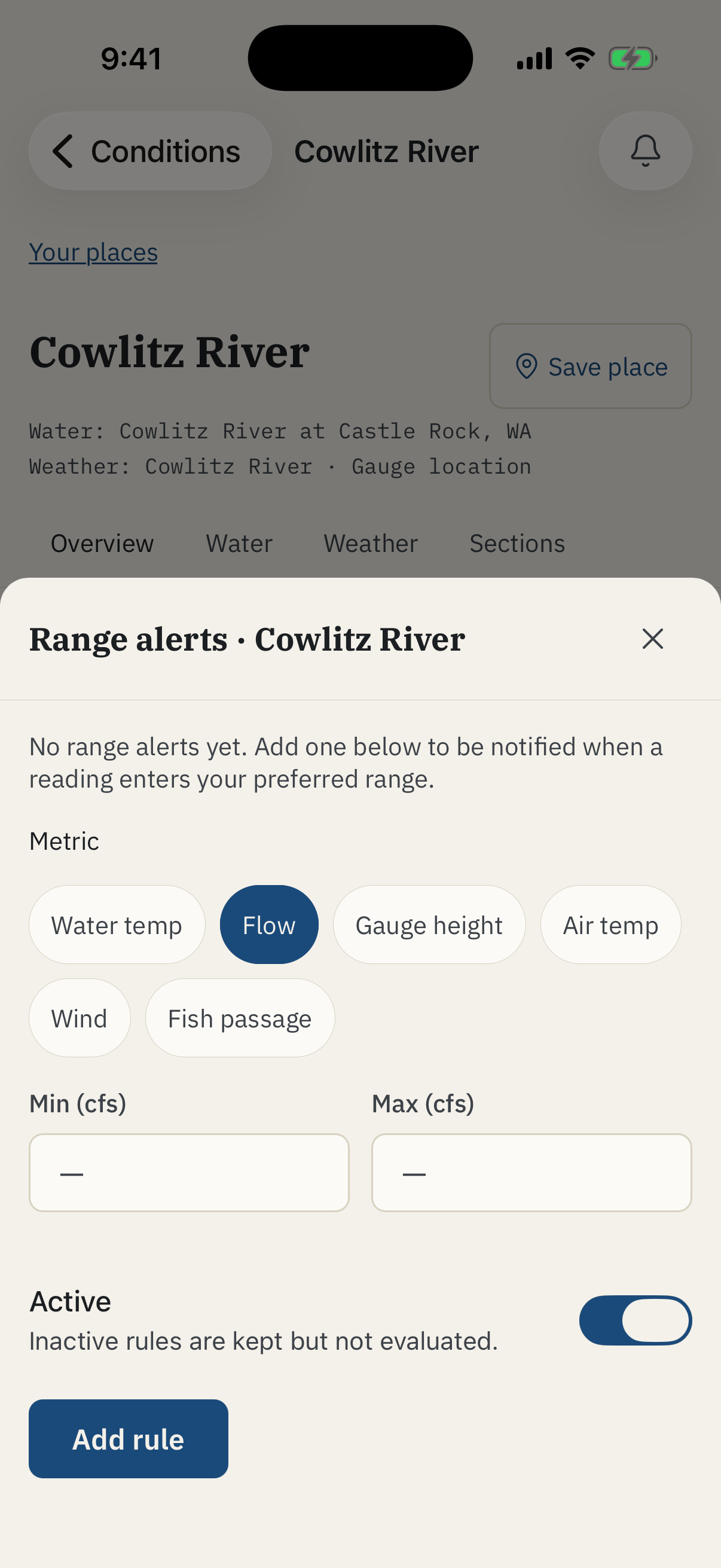
Set minimum and maximum values for flow, water level, water temperature, air temperature, wind, or fish-passage counts. Receive an alert when readings match your preferred conditions.
Get regulation-change alerts for the places you follow.
Trip planning and sharing
Plan your trip and share it with the people you choose.
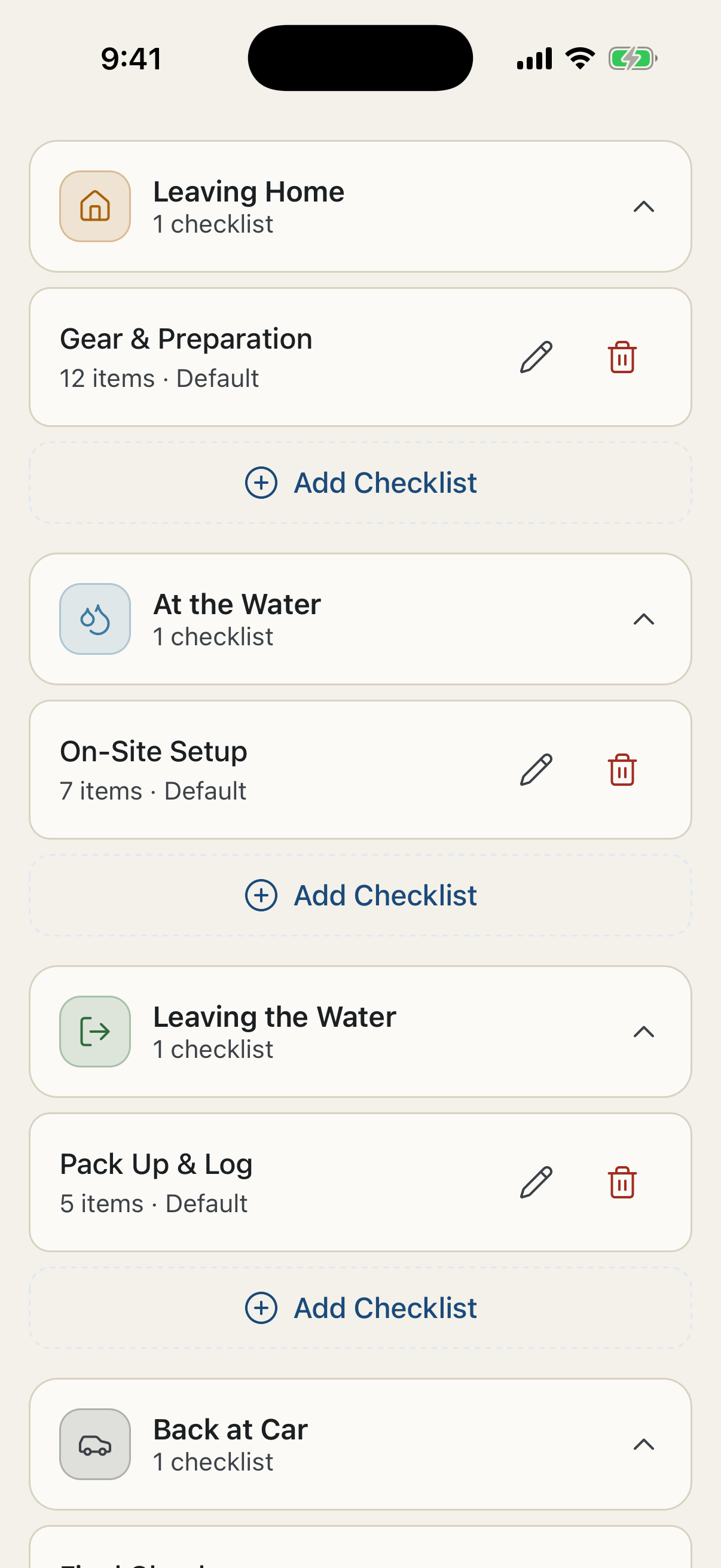
Check water conditions, maps, and the forecast before you head out. Make a reusable checklist for gear, your license, rain gear, and the things you need to do before you leave.
Set a date and meeting point for your group outing, then see who’s joined. For your own trip, set a planned return time and choose contacts for Trip Sharing.
Map
Water conditions, access points, and private records on one map.
Find rivers, lakes, gauges, tide stations, and access points, and check conditions on the map.
Add private pins, start Journal entries, and view your catches, notes, and observations.

Journal
Your fishing notes, with the conditions attached.
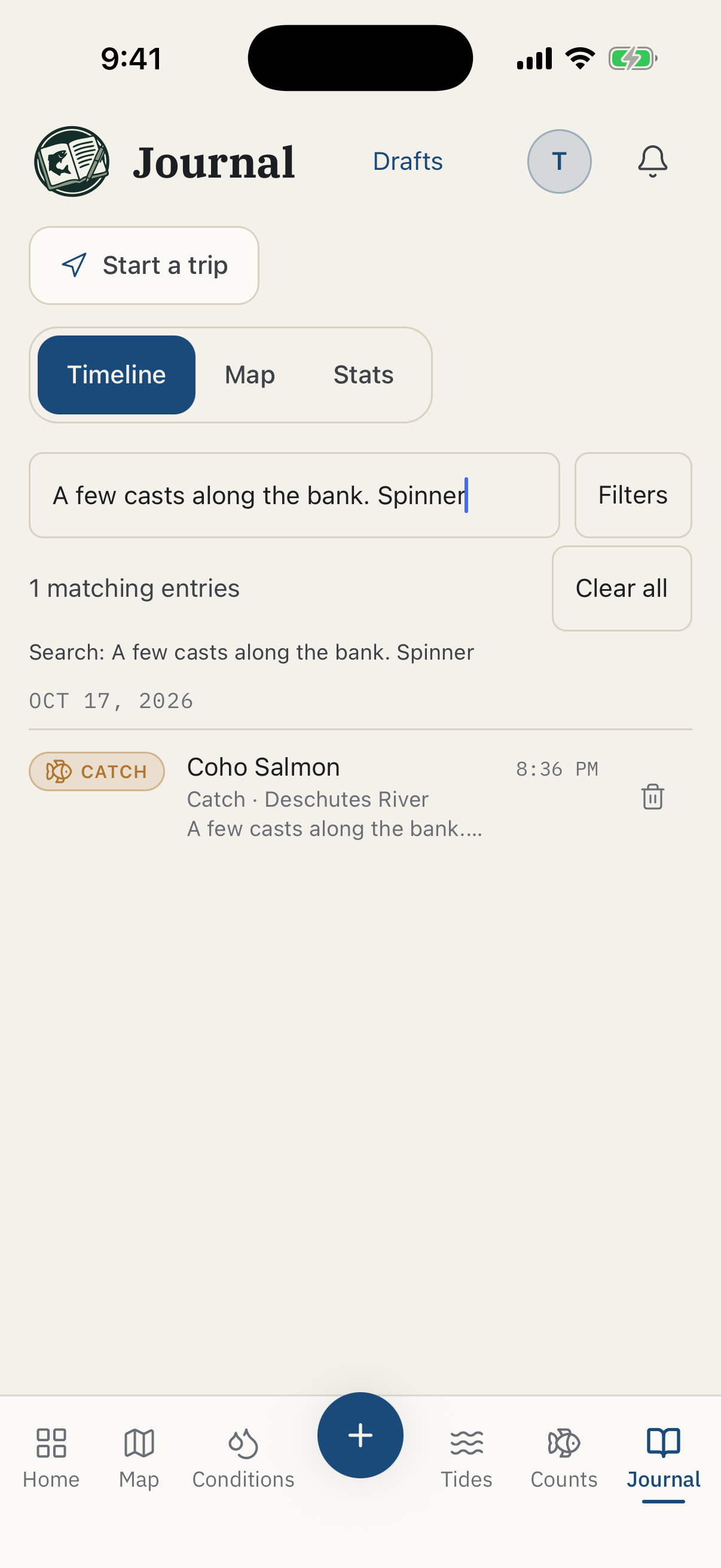
Record catches, trips without a catch, scouting notes, hazards, access notes, observations, and photos in your private Journal. Water conditions, weather, and tide information are attached to your entries.
Look back at past trips, or record catches and notes on your phone when you’re out of service.
Catch Cards
Share your catch and choose what others see.
Turn a catch from your Journal into a card for texts, group chats, or social posts. Choose the photo and details you want to include while keeping the rest of your Journal private.
GPS data stored in your photo is removed from the shared image. Leave location out, show the state, region, or water name, or choose to include exact coordinates. Choose how much time, catch, and trip information to share, too.
Blur or replace the photo background on supported phones, or create a card without a photo. Preview the finished card before sharing it.

Fishalong
Share catches, observations, and locations with your group.
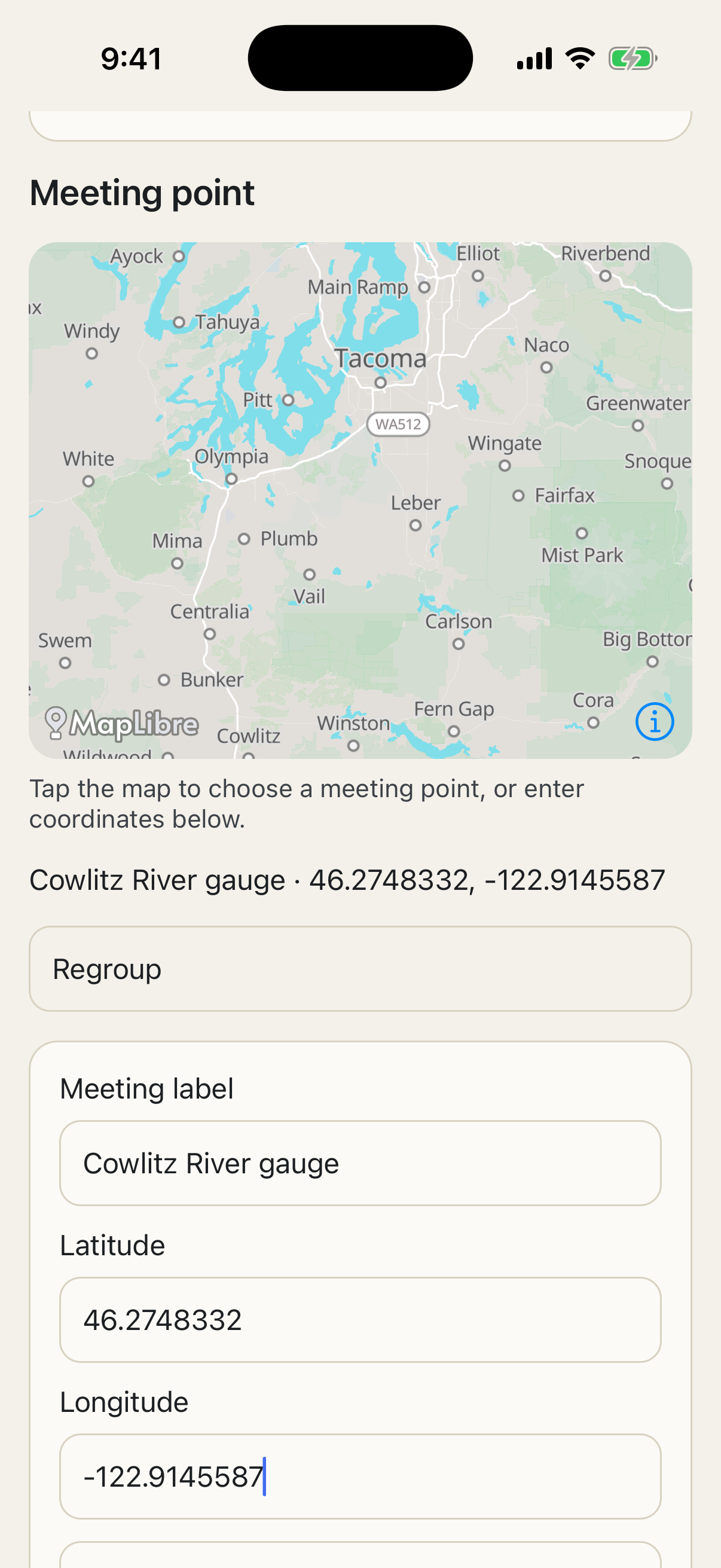
Share catches and observations with everyone in your outing. See members’ latest shared locations and the outing’s meeting point on the map.
Send a regroup request when you want everyone to meet. Choose whether to share your location, and optionally share a phone number so other members can contact you.
Trip Sharing
Let someone know when you expect to be back.
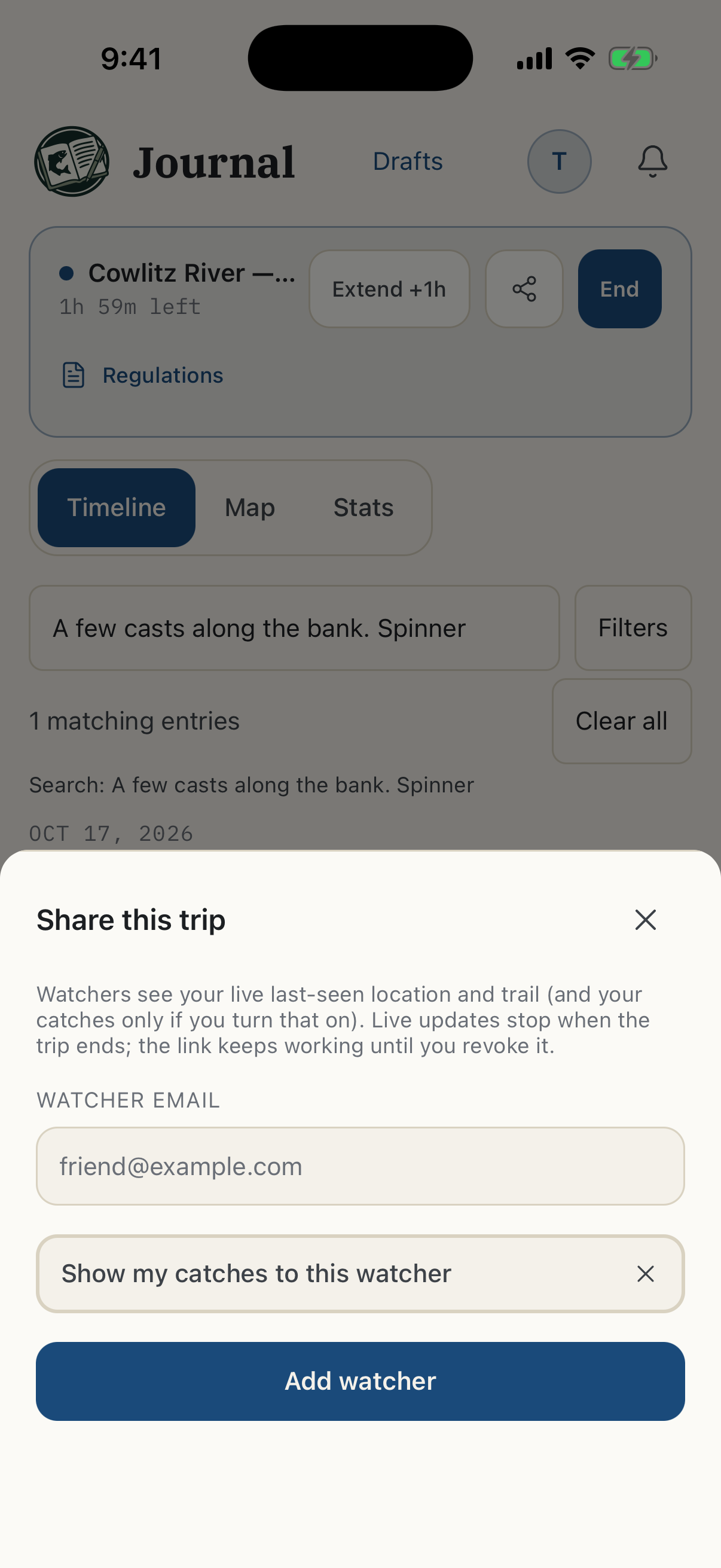
Set a planned return time and share your trip with selected contacts. Check in during your trip and choose what location information your contacts can see. Trip Sharing sends an alert if your trip becomes overdue.
Your fishing spots and records stay private.
Your Journal stays private. You choose what goes on a Catch Card, what you share with your Fishalong group, and which trip details selected contacts can see. Thalweg Fishing doesn’t post your catches or fishing spots to a public feed or map.
Thalweg Fishing doesn’t use your private fishing records for its own research, reports, or recommendations, or combine them with other anglers’ records for those purposes.
Get launch updates by email.
Get launch updates, feature news, and special offers from Thalweg Fishing.