SMS Opt-In Consent
This page documents how Keep Fishing collects consent before sending SMS messages through the Trip Watch feature.
Overview
Keep Fishing sends transactional Trip Watch SMS alerts to fishing contacts designated by anglers. SMS is off by default and requires a double opt-in before any Trip Watch alerts are delivered.
Step 1: Angler Enables SMS for a Contact
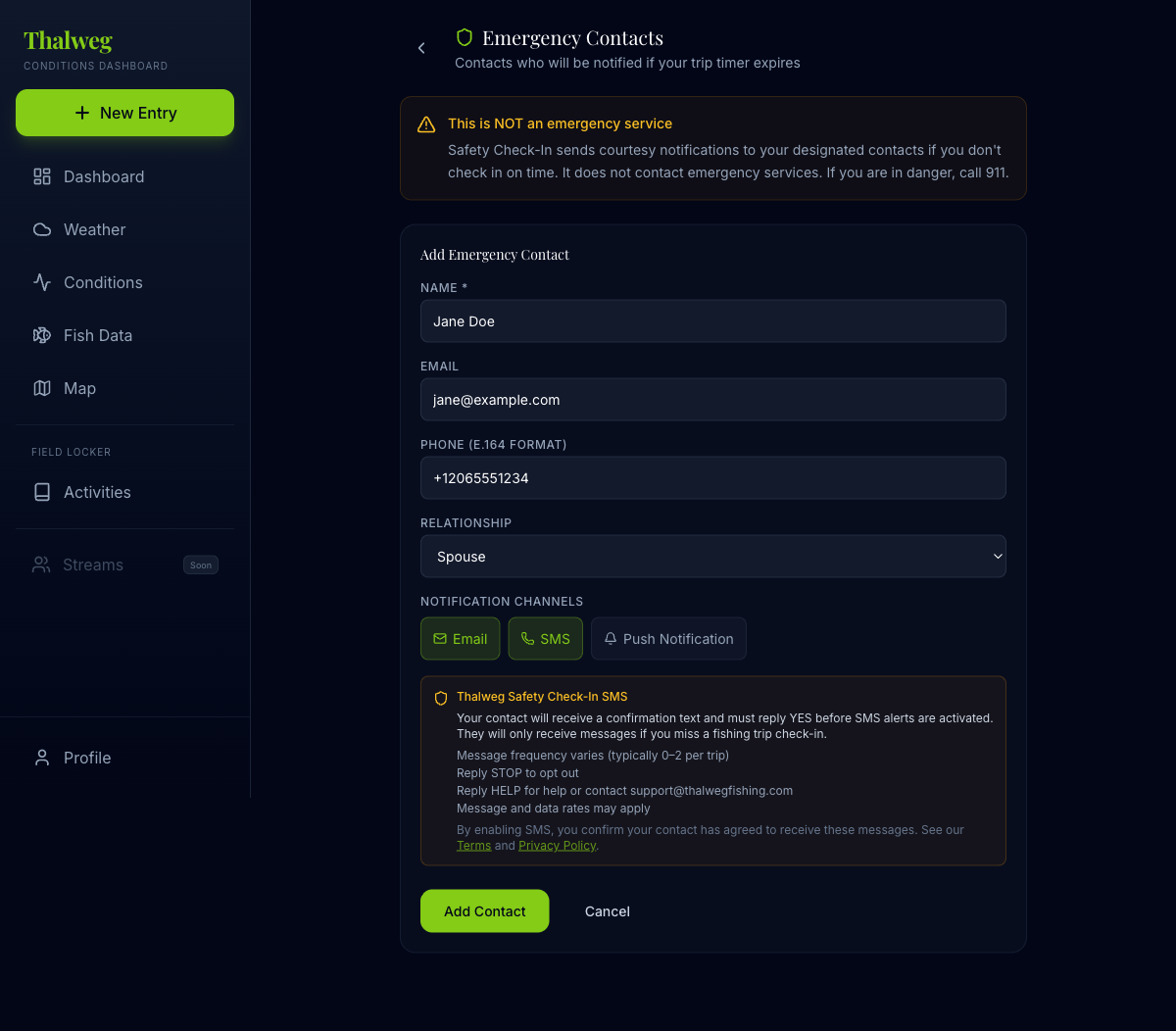
In the Trip Watch contact settings, the angler adds a fishing contact and toggles SMS on. When SMS is enabled, a CTIA-compliant consent disclosure is displayed directly in the form:
- Program name (Keep Fishing Trip Watch SMS)
- Message frequency (up to 2 messages per trip)
- "Message and data rates may apply" cost disclosure
- STOP to opt out, HELP for help
- Links to Terms of Service and Privacy Policy
Step 2: Confirmation SMS (Double Opt-In)
After the angler saves the contact with SMS enabled, the fishing contact receives a confirmation text message:
Keep Fishing Trip Watch: [Angler Name] added you as a fishing contact. You may receive Trip Watch alerts during their fishing trips (up to 2 msgs/trip). Msg&data rates may apply. Reply YES to confirm, STOP to opt out, HELP for help.
No Trip Watch SMS alerts are sent until the contact replies YES. The contact's opt-in status is tracked as "pending" until confirmed.
Step 3: Contact Confirms
When the contact replies YES, their status changes to "confirmed" and they will receive Trip Watch alerts during the angler's future fishing trips. If they reply STOP or do not respond, no alerts are sent.
Opt-Out
Recipients can opt out at any time by:
- Replying STOP to any message
- Asking the angler to remove them from Trip Watch contact settings
- Contacting support@thalwegfishing.com
Terms of Service — SMS Section
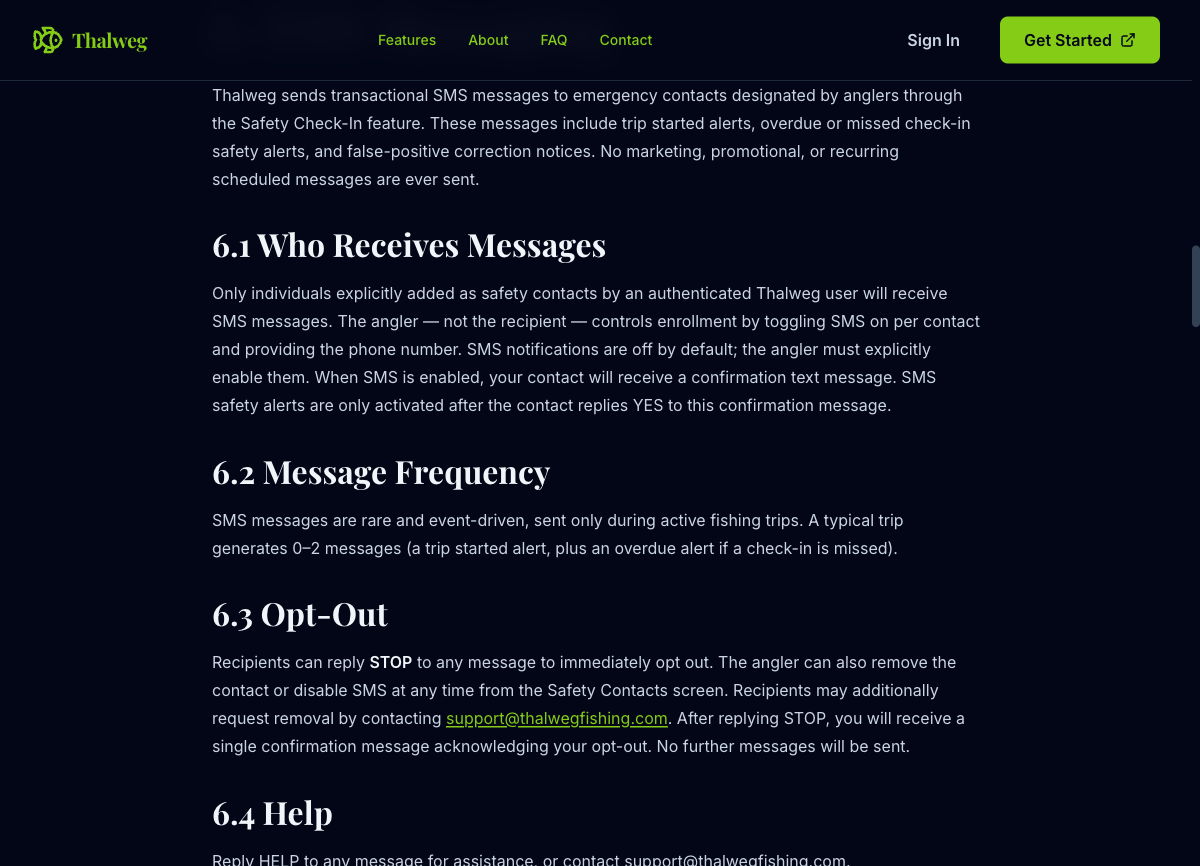
Full SMS disclosures are published in Section 6 of our Terms of Service, covering message types, frequency, opt-out, HELP, carrier costs, delivery disclaimers, and consent requirements.
Message Types
Keep Fishing sends only transactional Trip Watch alerts. No marketing, promotional, or recurring scheduled messages are ever sent. Message types include:
- Trip started notifications
- Missed status update or overdue planned-return alerts
- False-positive correction notices
- Opt-in confirmation (one-time, during double opt-in)
Related Policies
Questions about SMS messaging? Contact support.